Since you can add various content to all project topics using the project's Topic Master Page settings, this is how you can insert the Mini-TOC navigation element into all project topics.
To do so, follow the instruction below:
- Go to the Settings of a project and select Topic Template → Topic Master Page from the left menu.
- Uncheck the Use parent level settings checkbox.
-
Paste the HTML markup of the Mini-TOC navigation element to the Topic header HTML field.
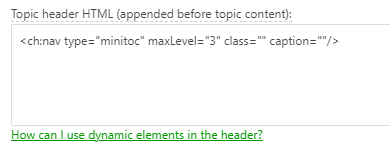
The default Mini-TOC navigation element code is the following:
HTML<ch:nav type="minitoc" maxLevel="3" class="" caption=""/>

Tip You can get the markup you need by inserting the Mini-TOC navigation element into the topic's body, choosing the settings you like, and then switching to the Source View mode to get the code. - Click Save Changes.
After doing so, you will get a Mini-TOC at the beginning of all topics in the project.