When you create a user, you can assign a specific role to them. To learn more about roles and permissions, check the Roles and Permissions Matrix. To change a user's role, do the following:
- Go to Settings → Contributors.
- Click the Edit user's profile button for the needed user.

-
Switch to the Roles and Permissions category, you will see the list of permissions granted by the currently assigned role. Change a user role by picking one from the dropdown box.
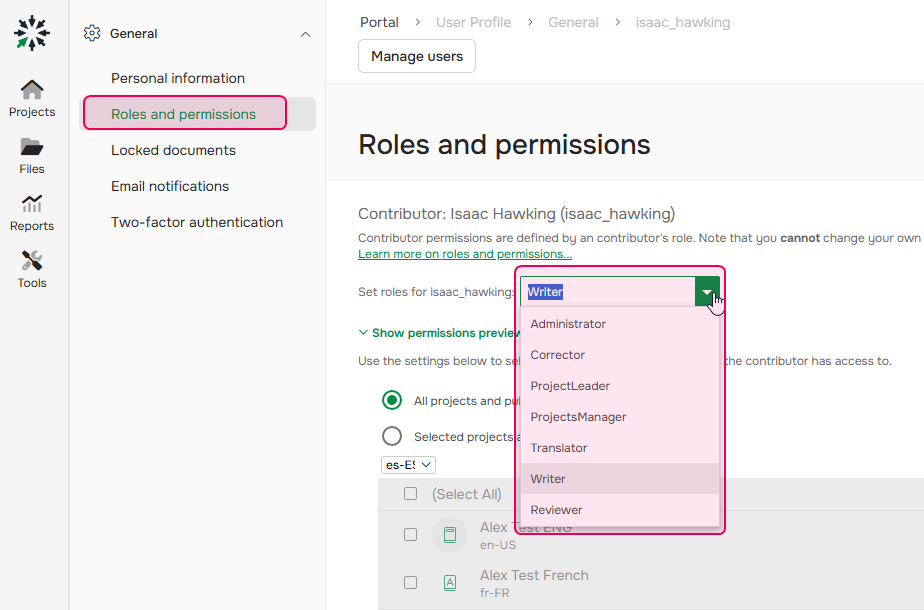
- Save the changes.
A contributor can have only one role assigned.