This feature allows you to automatically disable user accounts that have been inactive for a set period. This helps maintain the security of your portal by ensuring that unused accounts are disabled.
Licensing
This feature is available with the Enterprise security add-on for the Growth and Professional pricing plans.
Configuration
You can find and configure this feature in Settings → Security → Auto-disable inactive users.
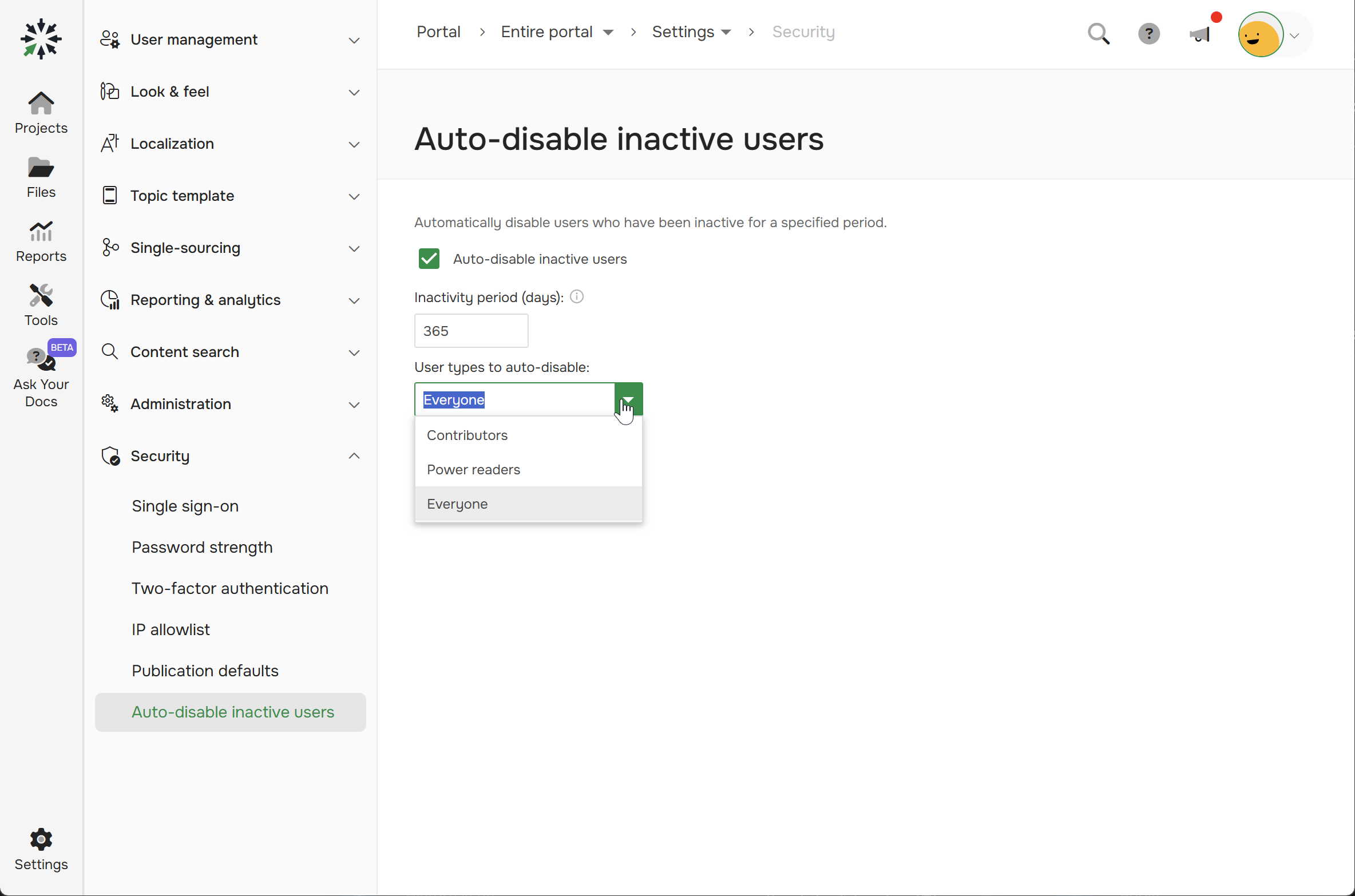
There are the following configuration options:
- Auto-disable inactive users. Check this box to enable or disable the entire auto-disable functionality.
- Inactivity period (days). Specifies the number of days of inactivity after which a user account will be automatically disabled.
-
User types to auto-disable. Defines the user types to which this rule will be applied:
- Contributors. Applies to Contributors only.
- Power Readers. Applies to Power Readers only.
-
Everyone. Applies to all user types.
-
Power reader access groups to auto-disable. This setting allows you to choose whether to apply the auto-disable functionality to all Power Readers or only to Power Readers from the specific Access Groups. This filter appears only when the Power readers option is selected in the User types to auto-disable dropdown.
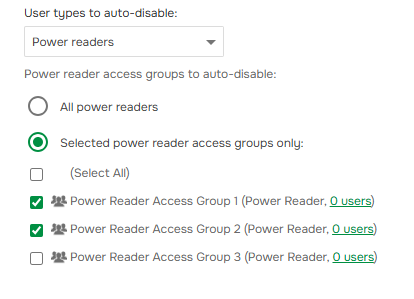
- All power readers. The system will disable all Power Readers, including those in any newly created Access Groups.
- Selected power reader access groups only. The system will only disable Power Readers who belong to the access groups you select. Newly created access groups will not be disabled automatically and must be manually added to this list if needed.
Specifics
-
A user is considered inactive if their Last Activity date has not changed for the duration of the period set in the configuration.

If a user's last activity is empty (meaning they have never logged into the portal), the inactivity period is calculated from their account creation date.
- The system automatically checks for inactive users every 3 days. Therefore, disabling an account is not instantaneous, but occurs within the check cycle. For example, if you set an inactivity period of 7 days, a user will be disabled between 7 and 10 days after their last activity, not exactly on the 7th day.
- The system will never disable the last active administrator, ensuring you always have access to manage the portal.