It's possible to get a backup of any of your projects to store on your local machine or using GIT or another version control system. This topic explains how to get a project backup.
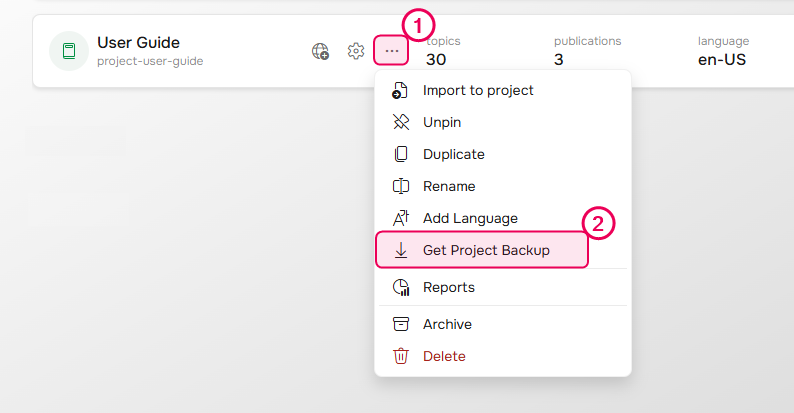
- Hover the project on the Projects page, click the More button and select Get Project Backup.
The backing up process will begin. -
After the backing up process is finished, you can click Download to get the resulting archive right away or click Finish to download the archive from the File Storage later.
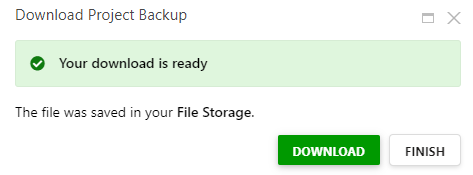
The resulting archive is automatically named based on the project name with an added timestamp and placed in the Temp Project Backups folder in the File Storage.