When a publication is no longer needed or was published by mistake, you may want to either hide it from users or completely remove it. This article explains how to do both.
Delete Publications
| Deleted publications cannot be restored. However, you can always create a new one from the project. |
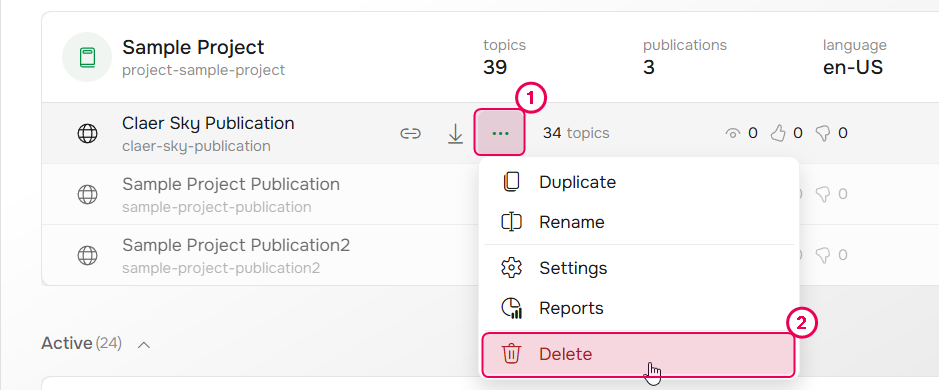
To delete a publication, do the following:
- On the Projects page, hover over the needed publication.
- Click the three-dot icon (⋅⋅⋅) to open the menu.
-
Click Delete.
- In the Delete publication wizard follow the steps.
- Choose whether you also want to delete the publication files, styles and scripts.
- Click Next.
After this, the publication will be deleted and readers will no longer be able to access it.
| When a publication is removed, any associated translation publications are also deleted. |
Unpublish Publications
If you only want to temporarily hide a publication from readers, you can just change its visibility from Public or Restricted to Private. This ensures that only Contributors can see the publication.
If you no longer need the publication at all, delete it.