A Mini-TOC (Table of Contents) is a navigation element that is usually placed at the beginning of a topic, and it contains links to the topic's sections (by their headings). This structure proves to be very useful for long topics with numerous subtitles.
To insert a Mini-TOC in a topic, follow the steps below:
- Place the text cursor where you want the element to be added to your topic.
-
Find
Mini-TOC in the
Navigation
section of the
Insert
tab.
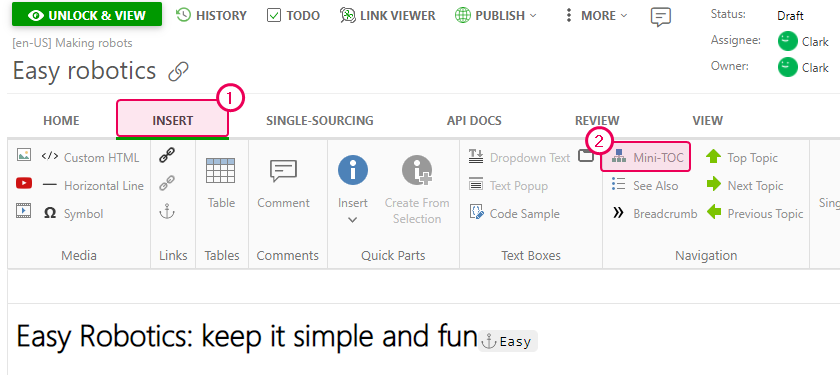
- Click the element.
-
The Mini-TOC will appear in your topic:
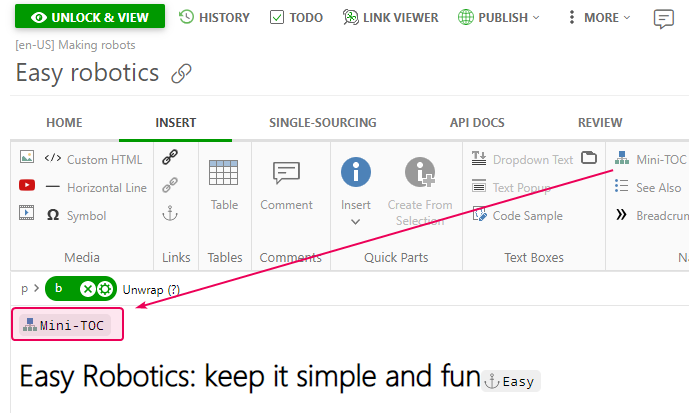
This is how a Mini-TOC can be added to a topic in ClickHelp.

|
Note |
| Once a Mini-TOC is generated, this element is updated automatically, i.e. when you change your topic's structure/rename its sections, you'll not need to insert the Mini-TOC element again. | |