Regardless of the topic status, output tags, and publishing mode, you can publish specific topics using the following method:
-
Choose one of the following ways to begin the selection process:
-
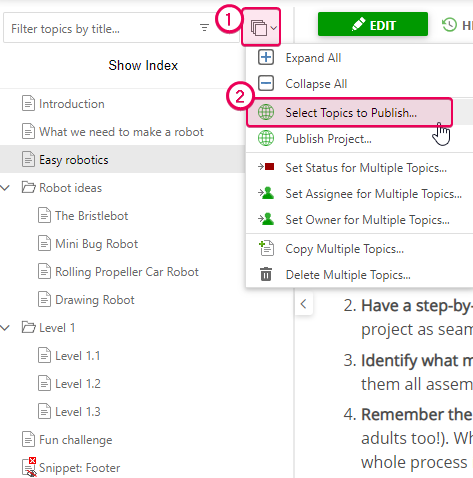
Click the Bulk Actions button in the TOC header. Then click Select Topics to Publish...
-
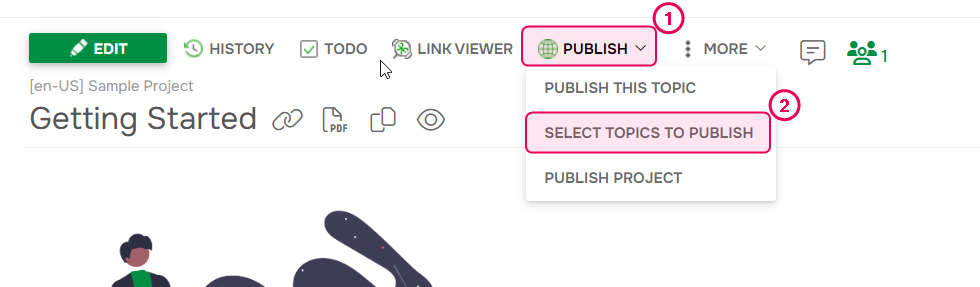
Or, click the Publish button and choose the Select topics to publish option.
-
Click the Bulk Actions button in the TOC header. Then click Select Topics to Publish...
-
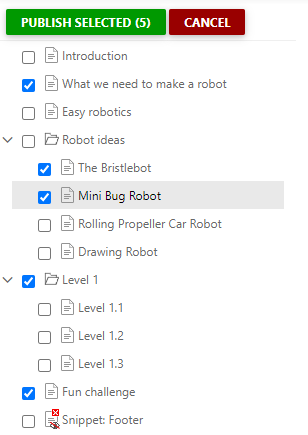
Select the topics you want to publish, then click Publish Selected.
- Proceed through the publishing wizard.
This method allows you to push updates strictly for the selected topics without affecting any unselected topics in your publication.