When you place an order in ClickHelp, it is automatically processed by our global payment partner, PayPro Global. You can view basic subscription details inside the ClickHelp portal, but all billing and subscription management — including cancellations, invoice downloads, and payment method updates — happens in the PayPro Customer Portal.
About PayPro Global
PayPro Global is our official billing and payment provider. All ClickHelp orders are processed through their platform, and you can use their customer portal to:
- View order details and history
- Download invoices
- Manage subscriptions
- Update payment methods
After you place your order, PayPro Global sends a purchase confirmation email that includes a secure login link to your customer account.
If you no longer have that email, you can access the portal directly here: PayPro Customer Login
The PayPro Customer Portal is typically accessed by the person who placed the order — usually your organization's billing contact or account administrator.
|
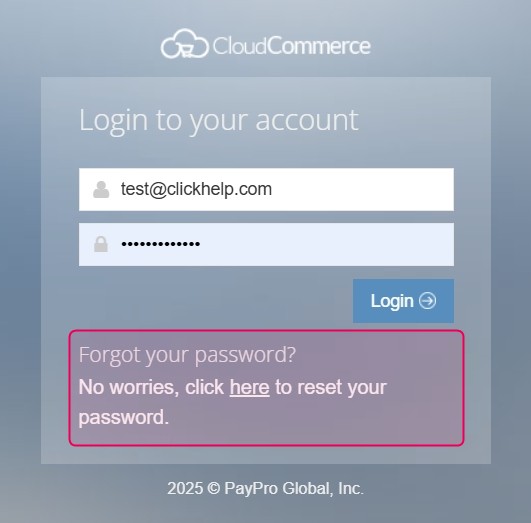
To log in, use the email address you provided at purchase. On the login screen, you’ll see "Forgot your password?" — for your first login, click "here" to set your password and receive it via email. |
PayPro Customer Portal Overview
Inside your PayPro Customer Portal, you’ll find several sections that help you manage your billing and subscriptions:
| Section | Description |
|---|---|
| Order History | View all previous payments and download invoices. |
| My Credit Cards | Manage stored payment methods and set your primary card. |
| Subscriptions | View, renew, or cancel active subscriptions. |
| Product Details | View each service you’ve purchased, including order history and related invoices. |
| Personal Info | View or edit customer information used to generate invoices. |