---
title: "Subscription and Billing"
id: "subscription-and-billing"
project: "ClickHelp User Manual"
url: "https://docs.clickhelp.com/articles/clickhelp-user-manual/subscription-and-billing"
updated: 2026-10-23T13:05:03Z
---
# Subscription and Billing
Documentation index for AI tools: [/llms.txt](/llms.txt)
* [Managing Your Subscription](/articles/clickhelp-user-manual/managing-your-subscription)
* [Payment and Invoicing](/articles/clickhelp-user-manual/payment-and-invoicing)
When you place an order in ClickHelp, it is automatically processed by our global payment partner, **PayPro Global**. You can view basic subscription details inside the ClickHelp portal, but all billing and subscription management — including cancellations, invoice downloads, and payment method updates — happens in the **PayPro Customer Portal**.
### About PayPro Global
**PayPro Global** is our official billing and payment provider. All ClickHelp orders are processed through their platform, and you can use their customer portal to:
* View order details and history
* Download invoices
* Manage subscriptions
* Update payment methods
After you place your order, PayPro Global sends a purchase confirmation email that includes a secure login link to your customer account.
If you no longer have that email, you can access the portal directly here: [**PayPro Customer Login**](https://cc.payproglobal.com/Customer/Account/Login)
The PayPro Customer Portal is typically accessed by the person who placed the order — usually your organization's billing contact or account administrator.
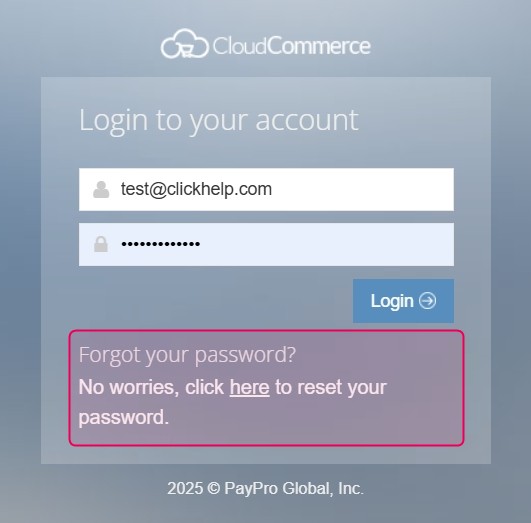
| To log in, use the **email address you provided at purchase**.
On the login screen, you’ll see "**Forgot your password?"** — for your first login, click "**here**" to set your password and receive it via email. |
| --- |
### PayPro Customer Portal Overview
Inside your **PayPro Customer Portal**, you’ll find several sections that help you manage your billing and subscriptions:
| Section | Description |
| --- | --- |
| Order History | View all previous payments and download invoices. |
| My Credit Cards | Manage stored payment methods and set your primary card. |
| Subscriptions | View, renew, or cancel active subscriptions. |
| Product Details | View each service you’ve purchased, including order history and related invoices. |
| Personal Info | View or edit customer information used to generate invoices. |