As of now, there is no inline code block supported. But there is a workaround.
Preview
This is how an inline code block looks like.
How to implement
- Copy the provided CSS fragment to one of your style files.
- Select any text in your topic
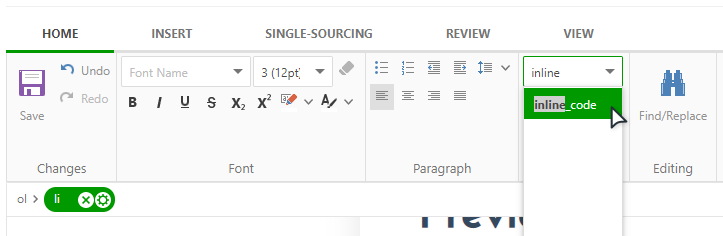
- On the Home tab of the ribbon bar, select an inline-code style from the dropdown in the "Styles" group.
CSS Code
CSS |
.inline-code { background-color: #4CAF50; color: #fff; border-radius: 2px; padding: 2px 5px; font-family: 'Ubuntu Mono', monospace; } |

|
Note |
| "Ubuntu Mono" font family is specified, though you can use whatever font you want. | |