In ClickHelp, you can hide your publication from publication lists that are shown:
- on the Portal Home page (if you use the Publication list block);
- on the Search page;
- on the publications bar of the Clear Sky template;
- in the version selector that's in the topic header.
Here is how you can do it:
- Open the Projects page.
- Hover the needed publication and click the three dots button, then click Settings.
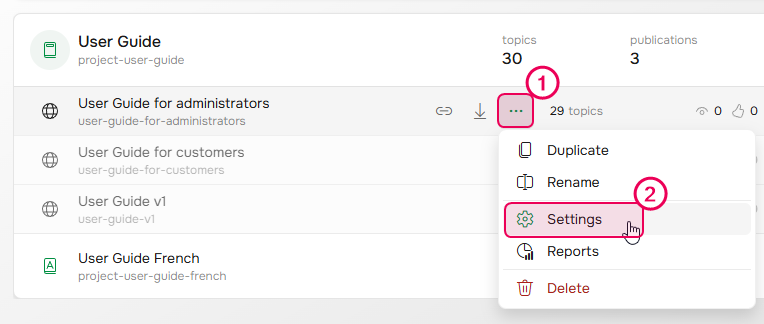
- The Basic Settings page will open.
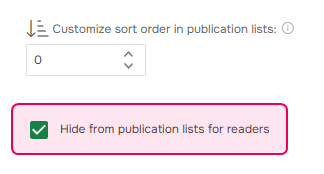
- Scroll down and check the Hide from publication lists for readers checkbox.
- Click Save.
You can also set the same setting on a project level to hide all publications of the project.