Guest Review lets you get feedback on a ClickHelp topic from someone who doesn't have a ClickHelp account. You send each reviewer a private link. They open it in a browser, read the article, and leave notes on the words or sentences they're commenting on, with no sign-in and nothing to install.
It works much like Review Comments, or comments in a Google Doc: select some text, leave a note. The difference is who can take part. Review Comments are for contributors who have access to your project; Guest Review is for people who don't, such as a subject-matter expert or a client whose feedback you want without adding them to your portal.
How a Review Works
You create a review from one or more topic URLs. Guest Review takes a snapshot of each topic, so what reviewers see stays fixed even while you keep editing in ClickHelp. You add the reviewers you want, and each one gets a private link to share.
As reviewers leave notes, the notes collect in one place, grouped by topic and labeled with who wrote them. You read through them and mark each note as you handle it. When you're done, you close the review, and the links become read-only.
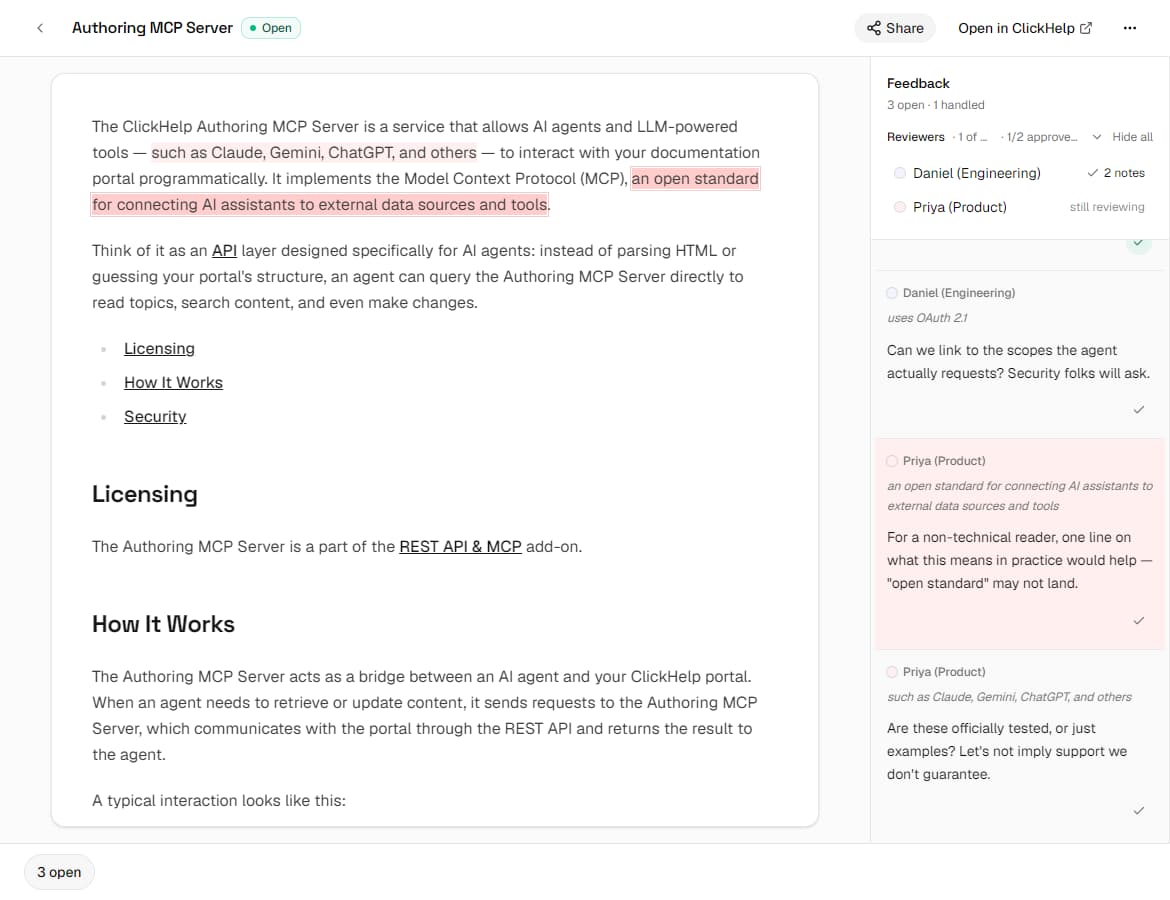
A reviewer sees only what you send: the snapshot of the topics in that review, and nothing else from your portal. Each link belongs to one person, and reviewers can't see each other's notes. Only you, through your own link, see all of them.
What to Expect
Guest Review is simpler than Review Comments. Reviewers leave standalone notes; there are no threads, replies, @mentions, or resolving in this version, and you work through the notes yourself. Because each review is a snapshot, the notes stay in Guest Review rather than appearing back in ClickHelp, so you make any edits in your topic by hand. This is a Beta feature, and it may change.