When setting up a custom domain name for your portal, you need to select the certificate type. In ClickHelp, there are two types of SSL certificates available: Let's Encrypt and a Custom certificate. Use the comparison below to choose the one that fits your needs.
|
|
Let's Encrypt
|
Custom
|
|---|---|---|
| Cost | Free | Purchased from a certificate authority |
| Issued and renewed | Automatically | You obtain and upload it manually (PFX) |
| Validity | 60 days | Typically 6–12 months |
| Action needed | None | Manual renewal (you get an email reminder 30 days before expiry) |
Let's Encrypt Certificate
Let's Encrypt is a popular certificate authority that offers free SSL certificates. Certificates issued by Let's Encrypt are trusted by all major browsers. This ensures that your users can safely view your documentation without any security warnings.
One of the key features of this option is its automated update process every two months. This means that once you've set up your Let's Encrypt certificate, you don't have to worry about manually tracking expiration dates or renewing the certificate.
Custom Certificate
A custom SSL certificate is typically purchased from a certificate authority and requires a manual update. These certificates usually have a longer validity period, often ranging from six to twelve months.
When the certificate is installed, you will be able to see the expiration date and Thumbprint on the settings page.
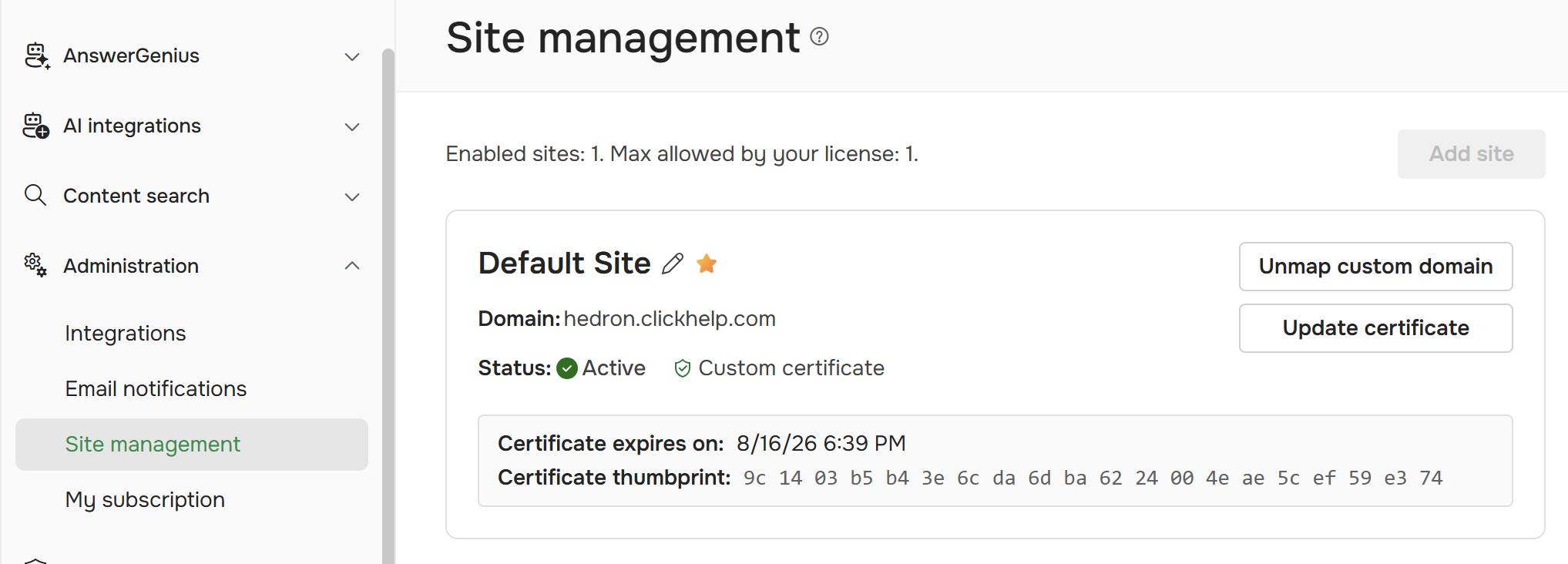
You will receive an email notification 30 days prior to the expiration of the certificate. You will need to manually update your custom certificate. To renew it, see Update Your SSL Certificate.