If you set up multiple Documentation Sites, you can configure AnswerGenius in the following ways.
Setting up AnswerGenius for separate sites
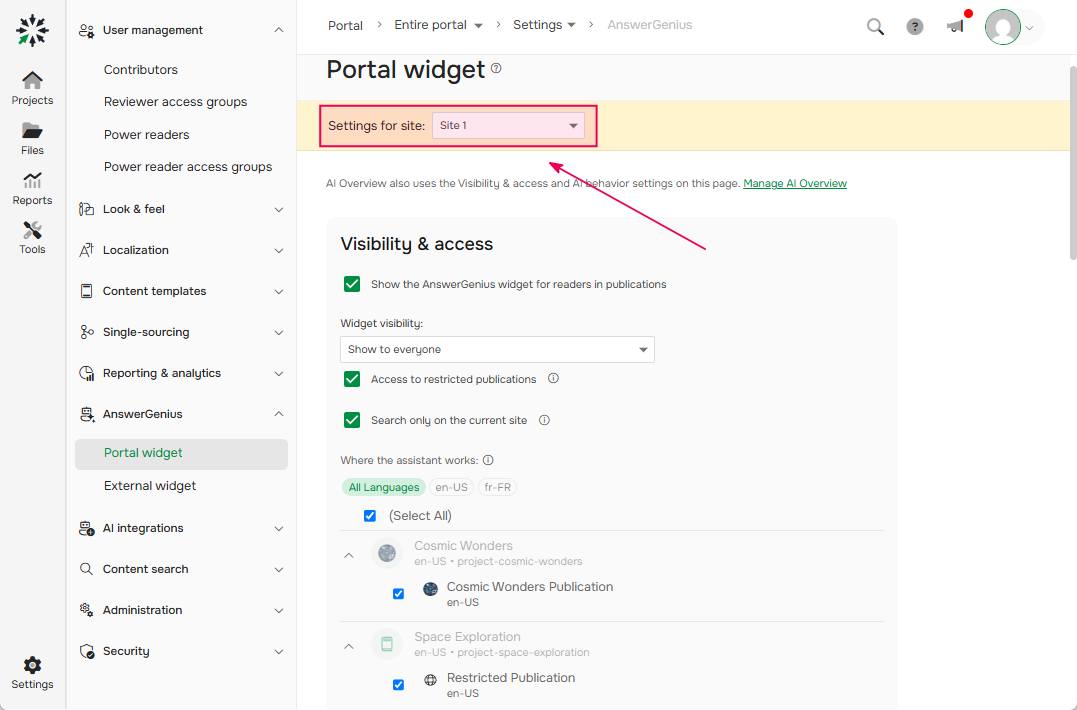
All AnswerGenius settings — for both the Portal widget and the External widget — are site-specific. This means you can configure AnswerGenius differently for each Documentation Site, including appearance, visibility, and behavior.
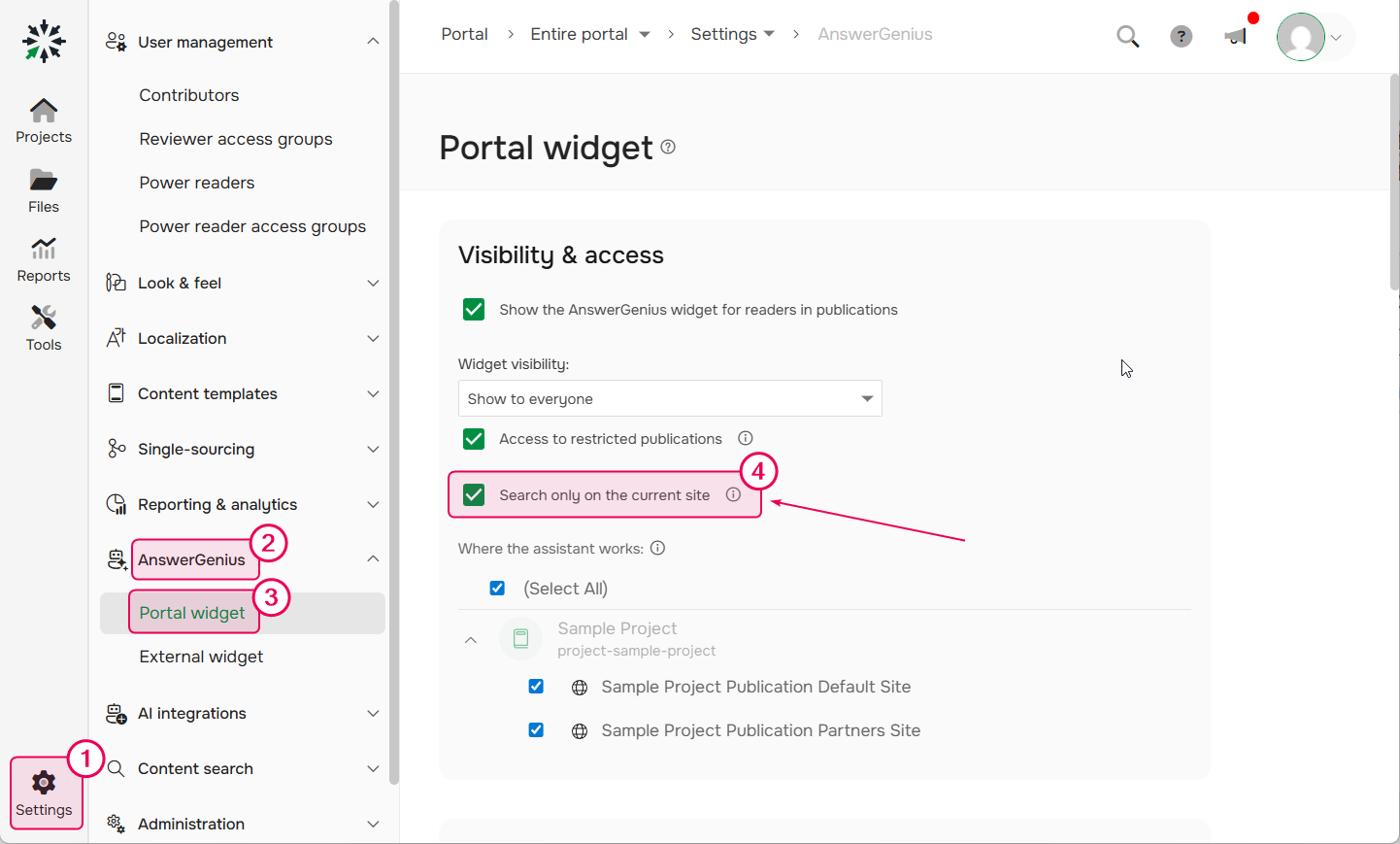
Search only on the current site option
| For Contributors, AnswerGenius behavior does not change. It will still use all the publications a contributor has access to. |
In Settings → AnswerGenius, both the Portal widget and the External widget use the Search only on the current site option to control how AnswerGenius works:
- Enabled — AnswerGenius responds only based on the current site. Federated Search sources are not used.
- Disabled — AnswerGenius uses content from all available sites, including external sources connected through Federated Search (if enabled).