When a new version of your documentation is ready you can either create a new version of it or update the existing publication if you want your URLs to remain the same. ClickHelp allows you to fully replace the existing publication content, or perform a partial update where only changed topics are updated. You can read more about these modes below.
Full Replace mode
To fully replace the content of an existing publication, you first need to open the Publishing Wizard. You can do this in one of two ways:
-
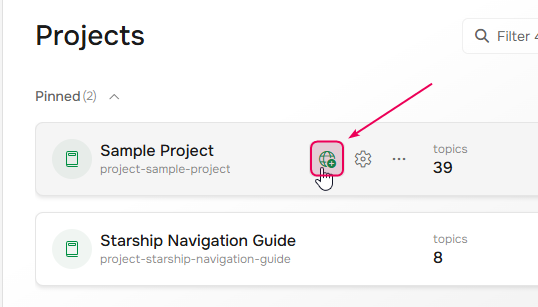
From the Projects page: Hover over the needed project and click the Publish button.
-
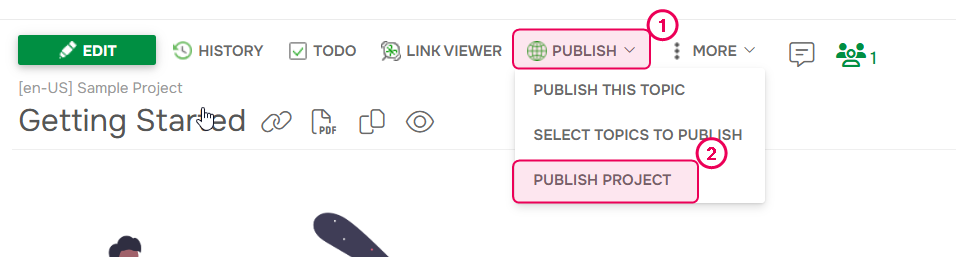
From the Topic Editor: You can open the publishing wizard from the Topic Editor by clicking the Publish button and selecting Publish Project.
Once the Publishing Wizard is open, follow these steps:
-
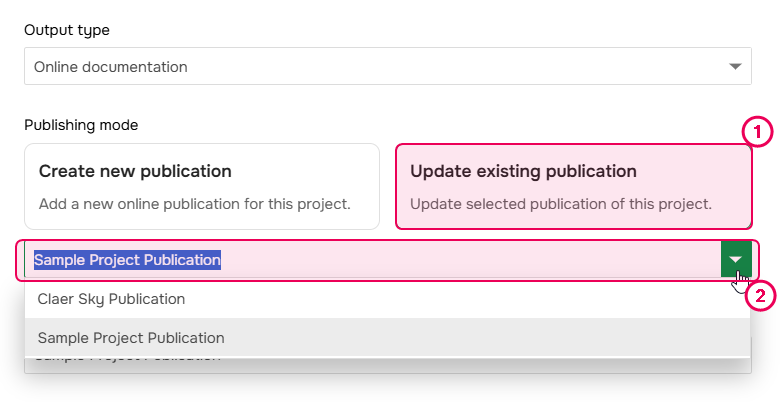
Select the Publishing mode and pick a publication that needs to be updated with the latest content.
- Make sure the publication visibility is correct.
- If you use the conditional content, ensure the necessary output tags are selected.
- Typically, you will also enable the Publish only Ready topics option since you'd like to update only those topics that are in the Ready status at the moment and keep other topics untouched.
- Click Next.
-
On the second step, select the Full Replace mode.
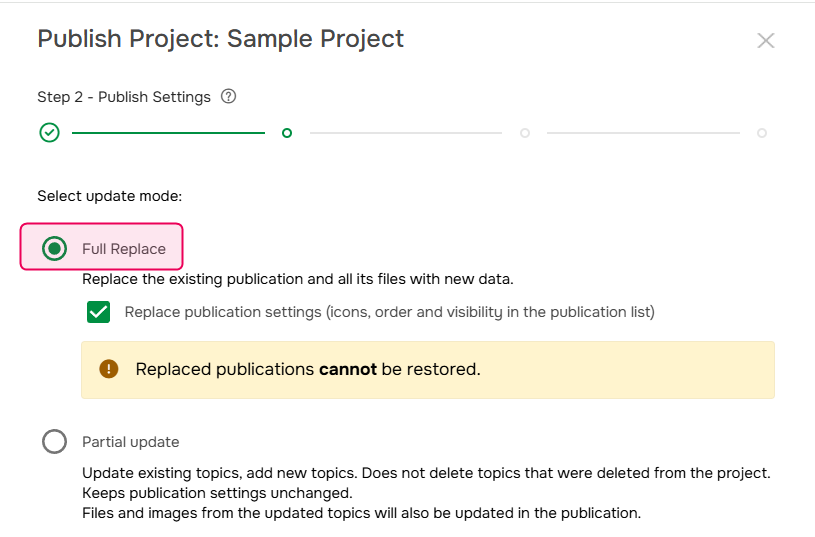
- If you also need to replace the publication settings - such as icons, order and visibility in the publication list - check the corresponding option.
- Click Next.
- Wait till the publishing process is finished and click Next.
- On the last step you can open the publication or just close the dialog by clicking Finish.
Partial update mode
The partial update is suitable when you performed small changes and the TOC hasn't changed much. You can read more about it here: The Partial Update Publishing Mode.
When using this mode, be sure to keep the TOC update logic in mind, which is described in detail here: Partial Update - TOC Update Algorithm.