Documentation index for AI tools: /llms.txt
Markdown (.md) is a lightweight format for writing and structuring content using simple, readable syntax. In ClickHelp, you can export your documentation to Markdown to reuse it in other systems, store it in version control, or integrate it into development workflows.
| This article describes how to export an entire project or publication in Markdown format. If you only need a single topic in .md, see the article Retrieving Topics as Markdown. |
Exporting a project
To export a project to Markdown:
-
Hover over the project name and click Publish.

-
Select Markdown Files Archive as the output type.
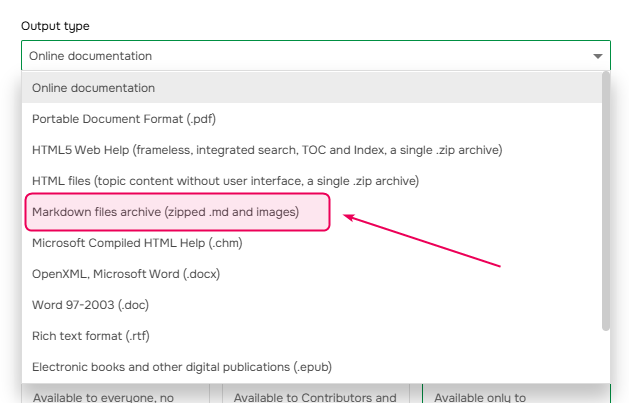
- Configure the settings as needed and click Next.
- Once publishing is complete, click Next again.
-
Set the name of the
.ziparchive, and choose where to save it. Click Next.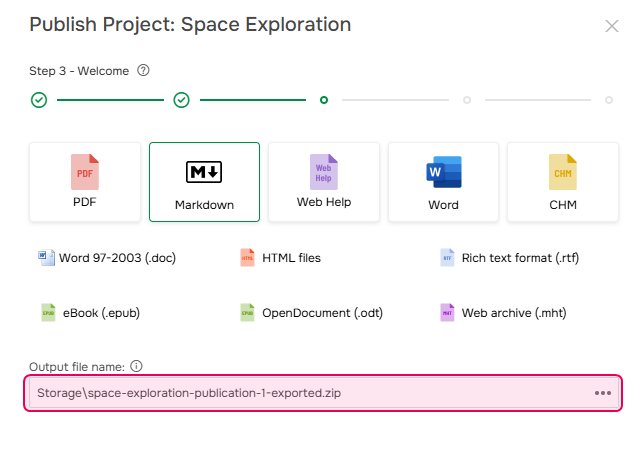
-
Complete the wizard. On the final screen, download the exported file if needed.
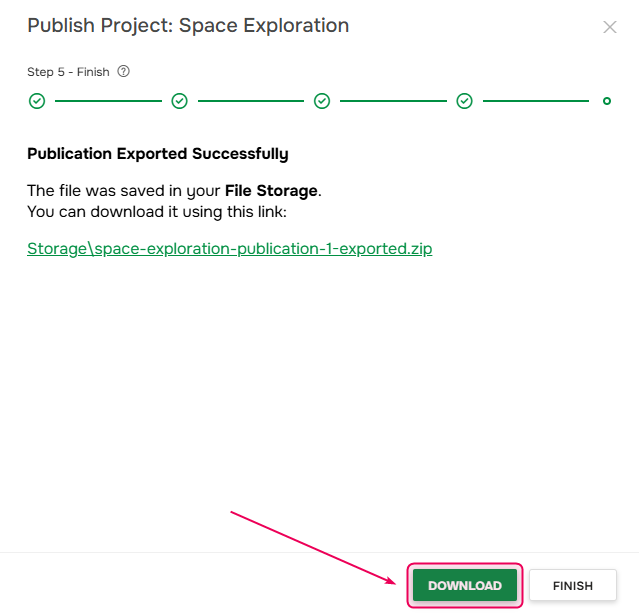
You can also access the exported file later in Storage, in the location selected in step 5.
Exporting a publication
To export a publication to Markdown:
-
Hover over the publication name and click Export.

-
Select Markdown, set the name of the exported .zip archive, and specify where to save it. Click Next.
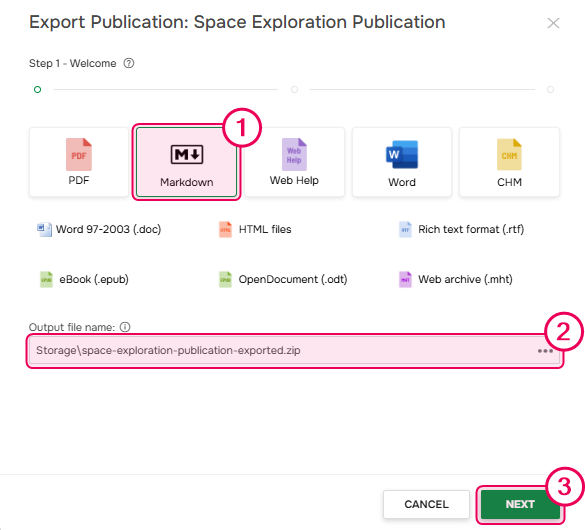
- After export is complete, click Next again.
-
On the final screen, download the exported file if needed.
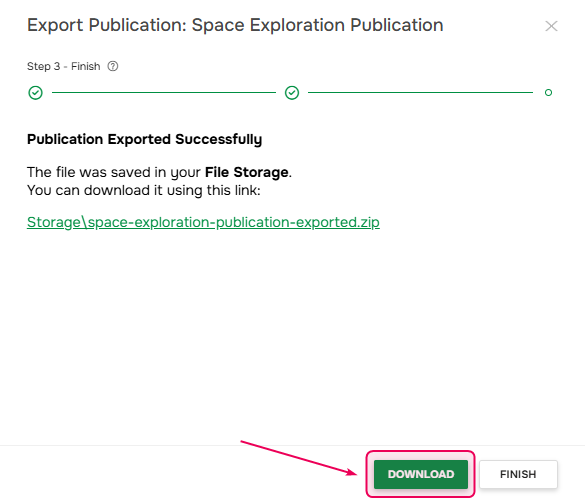
You can also find the file later in the Storage, in the destination you've selected in step 2.