Every topic in your ClickHelp portal can be retrieved as clean Markdown by appending .md to the topic ID in its URL.
This functionality helps you to make your documentation AI-friendly and is designed to work with AI agents, LLM-powered developer tools, and any automation that needs to read documentation content without parsing HTML.
URL Format
To retrieve the Markdown version of a topic, use the following URL pattern:
https://yourportal.clickhelp.co/articles/{project-id}/{topic-id}.md
Example:
| Regular topic URL |
https://yourportal.clickhelp.co/articles/#!sdk/installation
|
|---|---|
| Markdown URL |
https://yourportal.clickhelp.co/articles/sdk/installation.md
|
| Do not include a hashbang (#!) in the URL. Markdown retrieval uses clean URLs only. A URL like .../articles/#!sdk/installation.md will not return Markdown content. |
What the Markdown Response Contains
The returned Markdown includes the topic's full content — headings, paragraphs, code blocks, links to images, tables, and lists — and its meta data in clean, undecorated plain text. Content dynamically generated by scripts is excluded.
Here's an example:
Markdown |
--- title: Getting Started id: getting-started project: My Manual url: https://yourportal.clickhelp.co/articles/project-my-manual/getting-started updated: 2026-03-20T15:01:48Z --- # Getting Started # Minimalist Template This is a sample Start Page for your documentation project. ## Start Your Project ... |
| The auto-topics generated from the imported OpenAPI definitions contain only the meta data. Main topic content is not included because it is generated dynamically by scripts. |
When to Use Markdown URLs
Markdown topic URLs are most useful in the following scenarios:
-
llms.txt links — when building your portal's llms.txt file, link to .md URLs so that AI agents can directly read the content of each listed topic.
Keep in mind that AI agents are considered anonymous users, so use public publication links in the llms.txt file. - AI agent workflows — use .md URLs in Zapier, n8n, or similar tools to fetch topic content, for example, as context for AI-generated responses.
- Custom integrations — any integration that needs to process documentation content programmatically.
Relationship to llms.txt
The llms.txt convention encourages documentation sites to provide Markdown versions of their pages alongside the llms.txt file for your portal. The llms.txt file acts as a map; .md URLs provide the content at each destination. Together, they give AI tools a complete, low-friction path to your documentation.
Copying Markdown from the Interface
You can also copy the Markdown content of any topic directly from the ClickHelp portal interface. This is useful when you need to quickly grab the content of a topic without constructing a URL manually.
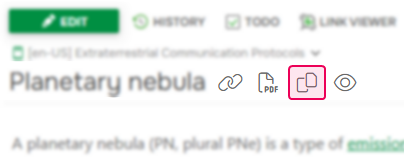
To copy a topic's Markdown content, open the topic and click the Copy Markdown option as shown on the screenshots below.
Modern Reader Interface Template (Next):

Legacy Reader Interface Template (Clear Sky):

Contributors also have the same option in their authoring interface:
Unlike the URL-based method, the copied Markdown contains only the topic's content — metadata is not included.