ClickHelp provides the Reader Feedback Widget to let users express their opinion about the content they read and mark it as helpful or not.
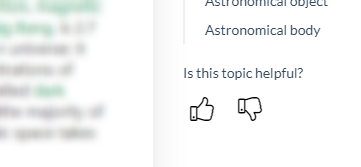
This widget looks different in different Reader Interface Templates. It can be presented as:
-
A part of the right sidebar (e.g., in the Clear Sky template).
-
A popup element in the bottom-right corner of the page (e.g., in the Oxygen template).
- A widget inserted as the HTML markup into the application/topic footer (e.g., in the Mountain Mist template).
The default markup of the widget in the Mountain Mist template
HTML<div class='MountainMist_pnlWasItHelpful'> <div class='ArticleEditor_readerFeedbackContainer'> <div class='MountainMist_pnlWasItHelpfulText'>Was this topic helpful?</div> <button type='button' onclick='articleEditor.rate(true)' class='MountainMist_btnRate' title='Yes' aria-label='Yes'><img src='/Images/Templates/PortalUi/milk_oolong_upvote.png' alt='Yes' /></button> <button type='button' onclick='articleEditor.rate(false)' class='MountainMist_btnRate' title='No' aria-label='No'><img src='/Images/Templates/PortalUi/milk_oolong_downvote.png' alt='No' /></button> </div> <div class='ArticleEditor_readerFeedbackThankYou'>Thanks for your feedback!</div> </div>
If a reader gives a negative vote, you can ask for additional feedback that the system sends you over email. You can enable this functionality in the Reader Feedback settings.
| The Next Reader UI template provides a list of predefined reasons that readers can select when giving negative feedback. |
The system tracks each reader's reaction with internal analytics. To learn more, read about the Topics Views and Ratings Report.