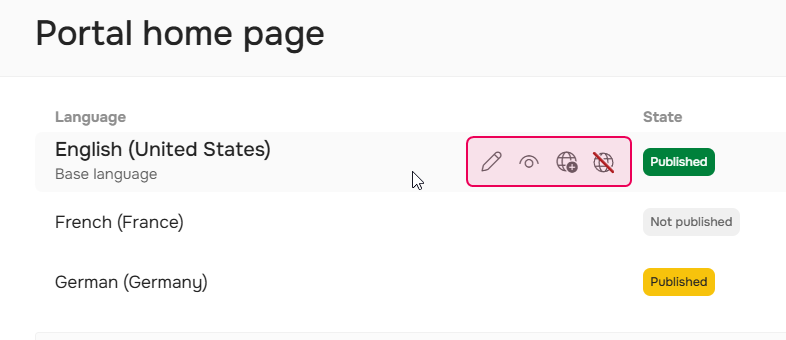
On the Portal home page screen you can see the list of the Home pages and manage them. To access this screen go to Settings → Look & feel → Portal home page.
Home Pages List
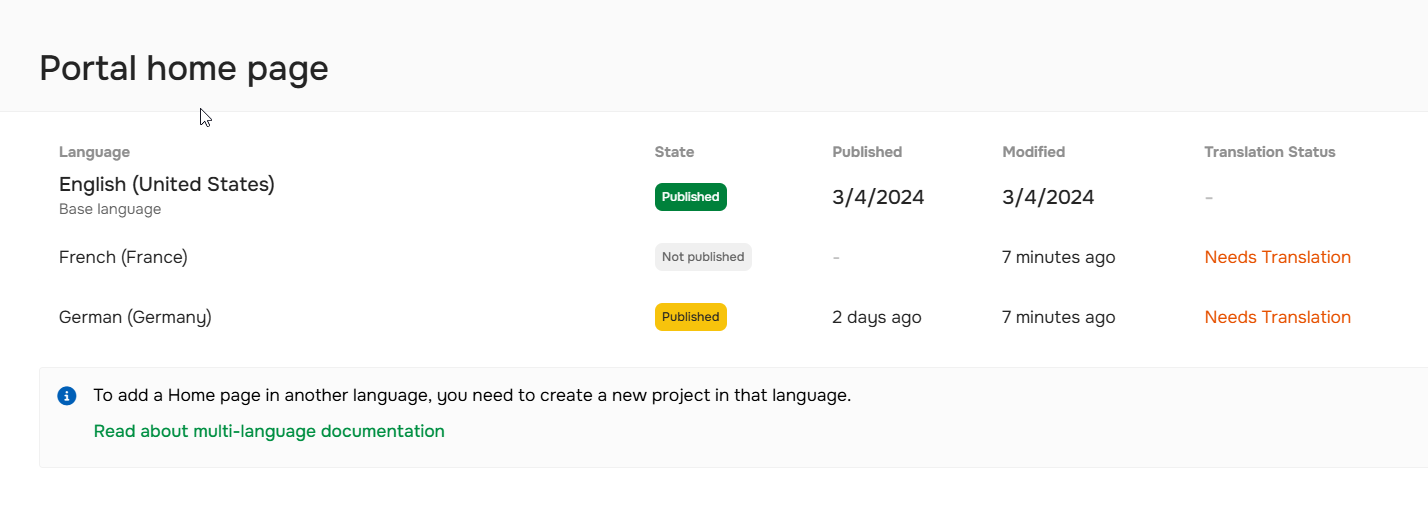
If you use the Translation ecosystem add-on and have projects in different languages, you'll see the list of home pages for each language:
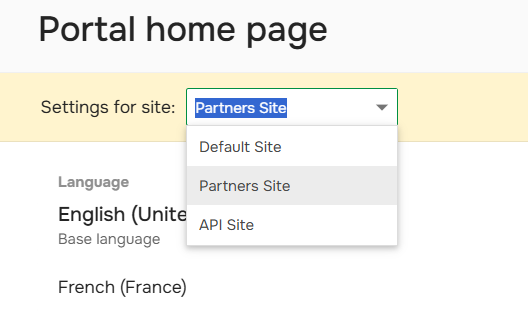
If you have additional Documentation Sites, you can also use the site switcher to configure different home pages for each site.
Home Page Information
On this screen, you can see when the home page was published and modified, its state, and translation status.
The state label can have one of three values:
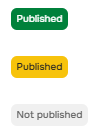
- Green Published. The current draft page is already published. This means that the draft and published Home pages are identical.
- Yellow Published. The Home page was published earlier, but the current draft page contains unpublished changes. This means that the draft and published Home pages are different.
- Not published. The Home page has not been published yet. It is not visible to readers at all.
Home Page Actions
Here, you can:
- access the Home page editor or translation editor
- publish and unpublish home pages
- view the published version of the home page